Create a Person EDD Case
Last updated: March 12, 2025
Person EDD Creation Instructions:
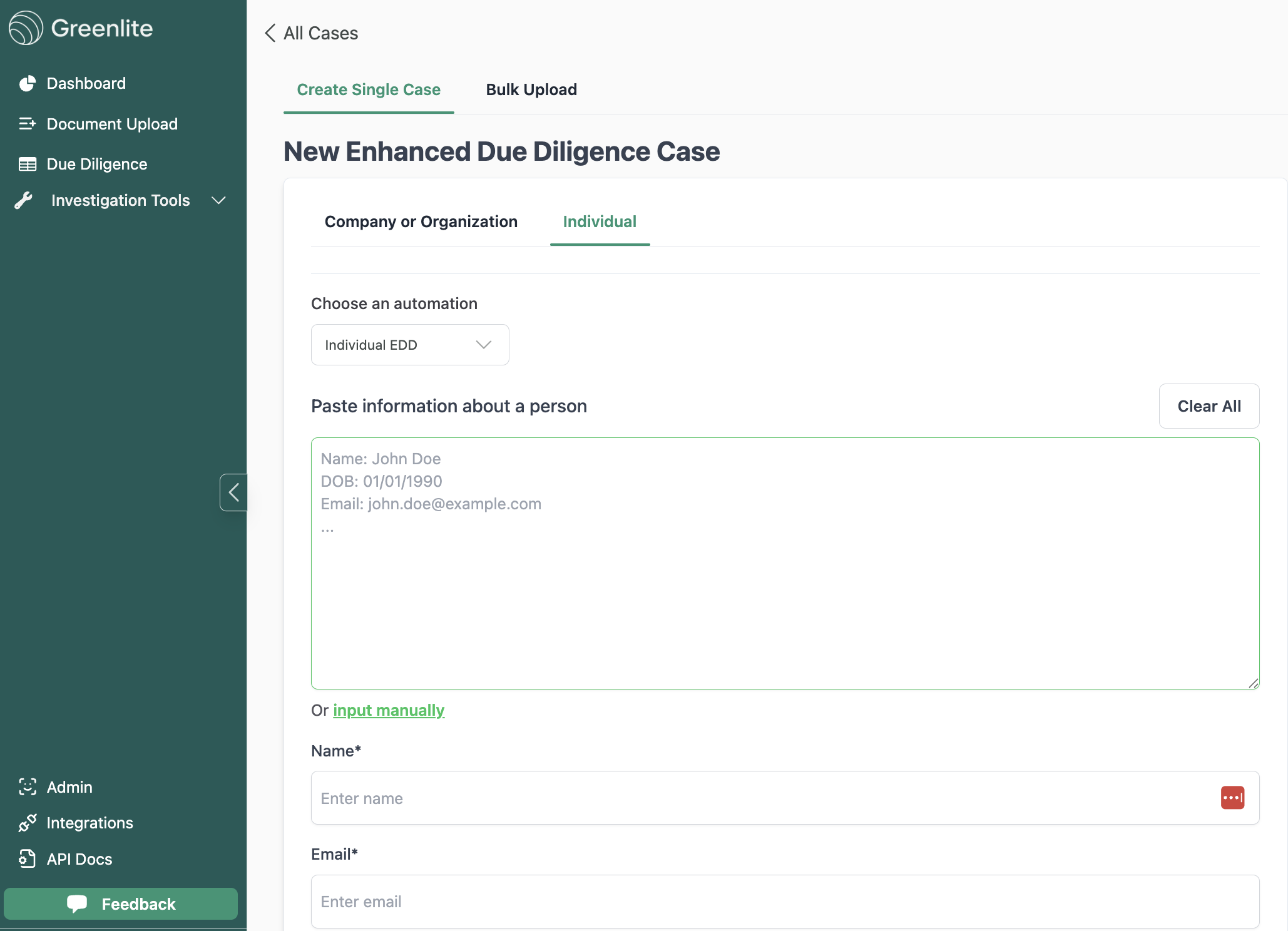
Click on "New Case" button and fill in required and relevant fields
Click on "Individual" tab
Paste all the information about the individual into the freeform box or fill in as many fields as possible for the individual
Person EDD performs best if you can include work or personal email about the individual.
Click "Create Case" after you are done
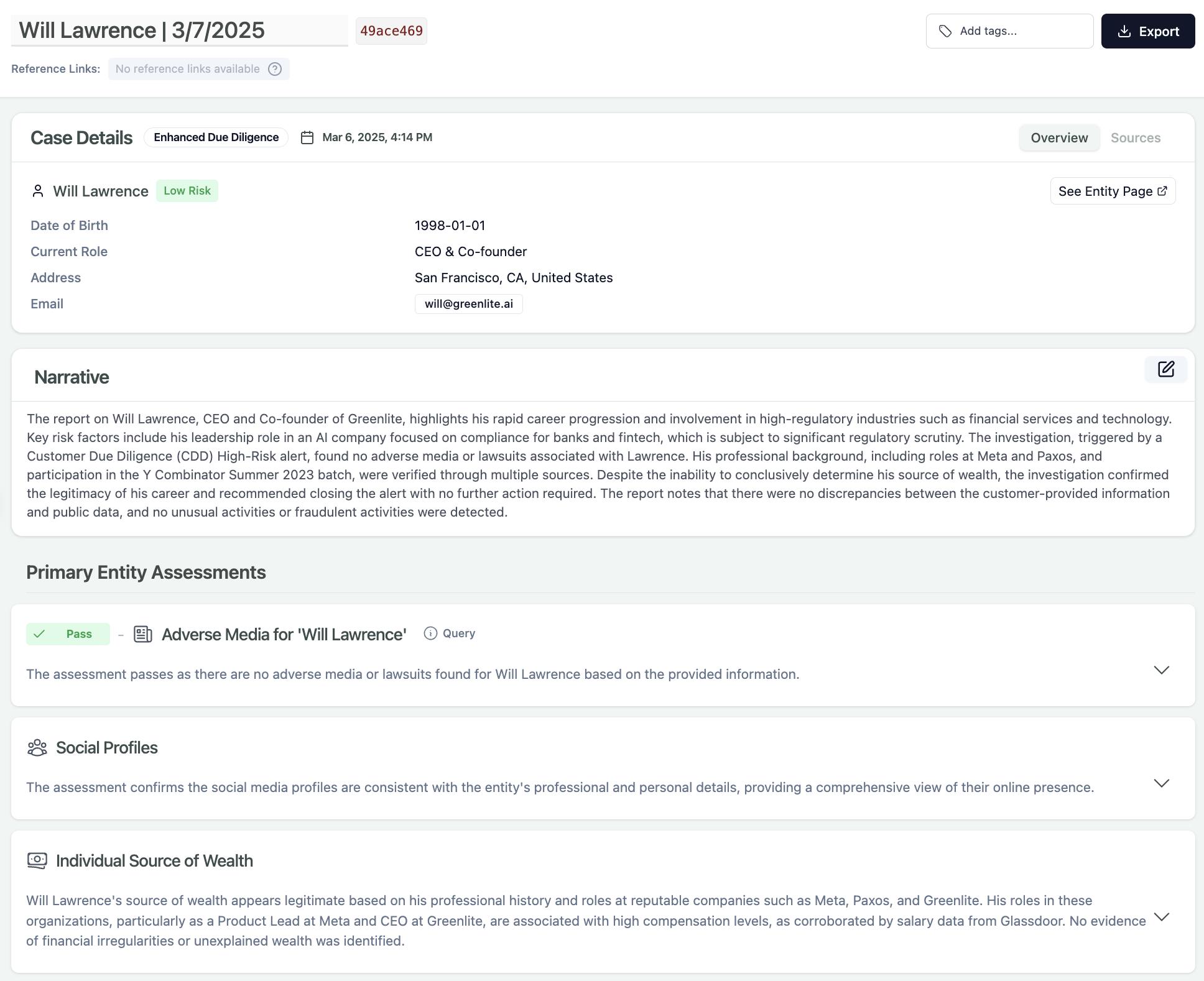
After a short while you should see a individual EDD case show up that look like this below.